Geometry Vibes




What Is Geometry Vibes?
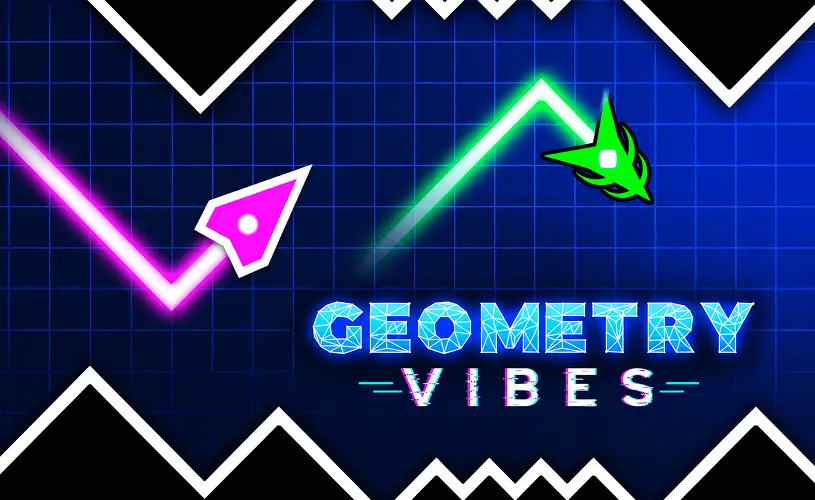
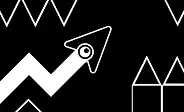
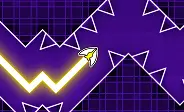
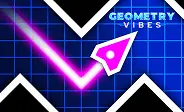
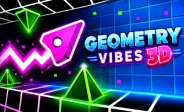
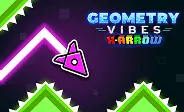
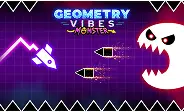
Here's the deal: Geometry Vibes is a rhythm-based arcade game where you pilot a neon spaceship through vibrant, hazard-filled levels inspired by Geometry Dash. Sharp spikes, moving traps, and complex obstacles are everywhere, and every stage pushes your reflexes and timing harder than the last. As you advance, the tempo keeps climbing, so your focus has to climb with it.
What makes this one stand out is that it actually gives you three different ways to play. You can grind through hand-crafted stages in Classic Mode, fight for survival in Endless Mode, or grab up to three friends for a local Race Mode on the same keyboard. Coins you collect along the way unlock new ships, trails, and color options so your runs look as good as they feel.
Core Gameplay
Trust me, the controls are one input and that is it. You pilot a glowing spacecraft through neon corridors littered with spikes, shifting walls, and traps. A simple tap or click dictates your movement, but timing is everything if you want to dodge the hazards ahead. Every stage you clear ramps the velocity up, which makes split-second reactions the only thing keeping you alive.
The obstacle layouts are synced to the electronic soundtrack, so listening to the beat gives you a real advantage. Memorize the patterns, hold your concentration, and grind your way to high scores. At the end of the day, the music is not background noise, it is your timing sheet.
Control Guide
Jumping in takes seconds thanks to the one-button controls. Whether you are flying solo or battling friends on the same keyboard, every player gets their own dedicated input. The game supports up to four local players, which makes it a genuine pick for couch multiplayer sessions.
- Player 1: Left Mouse Click / Spacebar
- Player 2: Up Arrow Key
- Player 3: H Key
- Player 4: L Key
Review the control scheme before you jump into a match. Muscle memory of your specific key cuts down on mistakes a lot during high-speed runs.
Three Game Modes
Geometry Vibes caters to all playstyles by offering three distinct modes. Whether you want structured level progression, endless survival, or chaotic multiplayer races, there is a mode that fits.
Classic Mode
Classic Mode serves up 10 uniquely designed levels spread across five escalating difficulties: Easy, Normal, Hard, Extreme, and Insane. Beginners can safely learn the ropes on the easier stages, while veterans get punished on the harder layouts. Clearing stages rewards coins to unlock new ships and skins. Revisit tougher stages to refine your timing and chase record completions.
Endless Mode
Endless Mode is a true stamina test that only ends when you crash. As you survive longer, the velocity keeps climbing and the obstacle patterns get relentless. Every run is a heart-pounding battle for survival. Push your limits, chase your highest score, and hoard coins for premium rewards.
Race Mode
Race Mode turns the intensity up to eleven. Two to four players compete simultaneously on a single screen, dashing through perilous levels while dodging spikes and traps. You can tactically bump opponents to knock them off course, but blistering reflexes and clever positioning are what get you across the finish line first.
How to Get Better at Geometry Vibes
Want to climb the leaderboards? These practical habits will help you survive longer, rack up higher scores, and outpace your friends. Consistency is the key, so practice regularly and keep your cool during fast sections.
Start with Classic Mode
If you are new, Classic Mode is your best starting point. The early stages act as a tutorial and help you naturally absorb the control mechanics and obstacle timings. Once you feel confident with the speed, you can safely transition into Endless or Race mode.
Use Short Taps
Resist the urge to hold down the input button. Quick, short taps give you far superior control and let you navigate tight corridors and sudden zigzags with precision. With a bit of practice, you will naturally lock into the right rhythm.
Watch Other Players in Race Mode
Do not just stare at your own ship during multiplayer matches. Keeping peripheral vision on your rivals gives you a strategic edge. A well-timed bump can send them crashing into a spike, but make sure your positioning is safe before you go on the offensive.
Practice Until It Feels Natural
Repetition breeds mastery. The more you play, the more intuitive your reactions get, which lets you predict complex obstacle sequences. Rather than mindlessly retrying, actively analyze your mistakes. Your timing and muscle memory will level up with every run.
Customization and Shop Guide
As you play, you accumulate coins that can be spent in the shop to heavily customize your spacecraft. Mix and match hulls, exhaust trails, and paint jobs to craft a ship that fits your vibe.
12 Unique Spaceships
There are 12 distinctly designed spaceships to unlock, each with its own geometry and flight animations. Some are cheap and accessible early on, while the coolest designs require significant progress and coin hoarding to acquire.
7 Rocket Trails
Leave your mark with 7 dazzling rocket trails. From sparkling star effects to glowing neon streams, these trails activate behind your ship as you fly and add an extra layer of visual flair to your runs. Unlock them by banking coins and conquering stages.
14 Color Options
Swap your ship's paint job with 14 distinct color options. Each color costs 100 coins, which gives you an accessible cosmetic goal to work toward. Combine different hulls, trails, and colors to create a look that stands out in multiplayer lobbies.
How to Earn More Coins
Coins are the lifeblood of your customization journey. The most lucrative method is systematically clearing Classic Mode stages and pushing for high scores in Endless Mode. The longer you survive and the more stages you beat, the faster your coin bank grows. Play regularly to unlock everything the shop has to offer.
Frequently Asked Questions
Is Geometry Vibes free to play?
Yes, completely free. You can play it right in your browser on GeoDash with no download, no signup, and no fees. The game is supported by ads, which is how it stays free for everyone who visits the site.
How do you play multiplayer in Geometry Vibes?
Select Race Mode from the main menu. It supports up to four players locally on a single device. Each player gets a specific key: Player 1 uses Spacebar or Left Click, Player 2 uses the Up Arrow, Player 3 uses H, and Player 4 uses L. Navigate the track, dodge hazards, and outlast your friends to win.
How do I unlock new spaceships in Geometry Vibes?
Spend coins in the in-game shop. You earn coins by clearing Classic Mode stages and pushing high scores in Endless Mode. There are 12 ships to unlock, with the rarest designs requiring the most progress and coin hoarding.
Which game mode is best for beginners?
Classic Mode on the Easy difficulty. It gives you a structured, slower-paced environment to safely learn the mechanics, understand obstacle patterns, and build your reflex speed before you take on Endless or Race mode.
Does Geometry Vibes work on mobile?
Yes. The game runs in any modern mobile browser that supports HTML5. Tap the screen to control your ship. Multiplayer Race Mode is best played on desktop because it needs separate keys for each player, but solo Classic and Endless modes work great on touch devices.
Why Play on GeoDash?
GeoDash is a dedicated platform for browser-based Geometry Dash games, and every level we host runs on the same fast, no-frills player. There is no install, no account wall, and no splash ad between you and the play button. Pick a game from the grid above, hit Play, and you are in. We keep the page lightweight so the game loads first and the ads load second, which is how a free games site should work.
Geometry Dash is a rhythm-based platformer originally created by Robert Topala and RobTop Games. GeoDash is an independent fan platform that hosts browser-playable games inspired by the Geometry Dash style. We are not affiliated with or endorsed by RobTop Games.