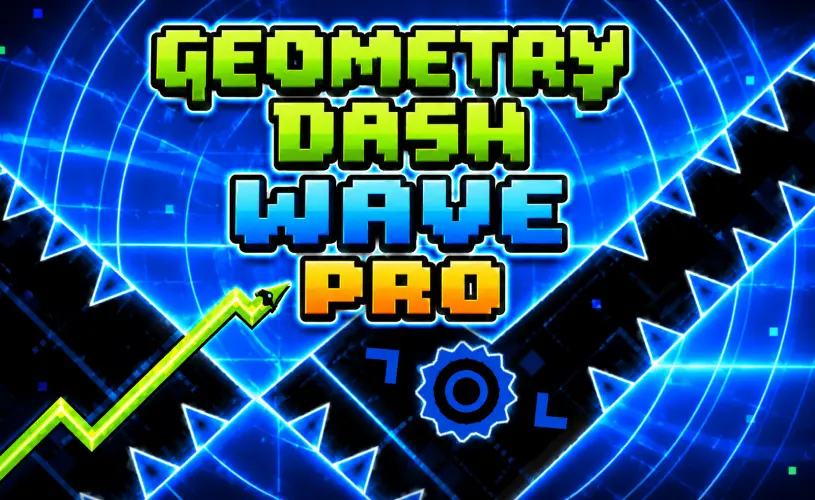
Geometry Dash Wave Pro





















About Geometry Dash Wave Pro
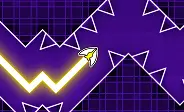
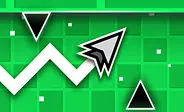
Here's the deal: Geometry Dash Wave Pro takes the wave mode from Geometry Dash and turns every dial up. The core mechanic is identical to standard Wave, hold the input to ascend, release to dive, your icon carving a tight zigzag through whatever the level throws at you. What changes is the pressure. Corridors are narrower, spike clusters are sharper, and speed portals hit harder, which means your reaction window shrinks to almost nothing on the harder stages.
Most of the GD community treats Wave as one of the steepest mechanics in any geometry game, and Wave Pro is the version that even seasoned Wave players come to when they want to be humbled. One pixel-level mistake and the run is over, full restart from the beginning. The browser port on GeoDash is completely free, runs in any modern browser, and skips the install entirely. Hit Play and you are in.
How to Play
Trust me, the controls are one input and that is it. Hold to glide upward, release to dive downward. Because your wave is constantly moving in a zigzag instead of a straight line, perfect timing is the only way past the spikes, saws, and the absurdly narrow gaps Wave Pro throws at you.
- Desktop: Hold the left mouse button, Spacebar, or Up Arrow to ascend, release to dive.
- Mobile: Tap and hold anywhere on the screen to rise, lift your finger to drop.
- Practice mode: Drop manual checkpoints mid-run to drill the exact segment that keeps killing you.
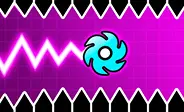
The floor and ceiling are safe, but everything else is instant death. Spikes, saws, solid blocks, moving hazards, all of them end the run on contact. Some corridors in Wave Pro are so narrow that only micro-taps and exact timing will get you through, which is exactly why this version exists in the first place.
How Wave Pro Compares to Standard Wave
If you have already played Geometry Dash Wave, here is what changes when you step up to Pro. At the end of the day, it is the same engine and the same controls, but the difficulty curve is significantly steeper:
- Tighter corridors: Gaps that were forgiving in standard Wave are now barely wider than your icon. Micro-taps are mandatory, not optional.
- Sharper spike clusters: Spikes are placed closer together and in less predictable patterns, so muscle memory from standard Wave only gets you so far.
- Faster speed portals: Speed portals hit harder and more often, compressing your reaction window mid-section.
- Less breathing room: Sections that used to give you a beat to recover are gone. The difficulty is sustained from start to finish.
If standard Wave feels like a workout, Wave Pro is the same workout with extra weight on the bar. Clear standard Wave first, then come here when you want to find out where your real limit is.
Tips to Survive Longer
Pushing your record on Wave Pro takes more than just grinding. A few habits will genuinely tighten your timing:
- Tap in short pulses. Holding the button creates long, uncorrectable climbs. Micro-taps keep your zigzag tight and controllable, which is the only way through the narrow corridors.
- Use practice mode first. Drop a checkpoint right before the hazard that keeps ending your run, then grind that segment until it becomes muscle memory.
- Listen to the music. Hazards are mapped to the beat, so the soundtrack signals when to move before your eyes can process the danger.
- Look ahead, not at your icon. Train your eyes one obstacle in front of your wave. Staring directly at your character means you are reacting too late.
- Treat crashes as progress. Every restart etches a pattern into your brain. The run that just killed you is training you for the run that won't.
Frequently Asked Questions
Is Geometry Dash Wave Pro free to play?
Yes, completely free. You can play it right in your browser on GeoDash with no download, no signup, and no fees. The game is supported by ads, which is how it stays free for everyone who visits the site.
How is Wave Pro different from regular Geometry Dash Wave?
Wave Pro is the harder sibling. It tightens the corridors, sharpens the spike clusters, and adds faster speed portals that compress your reaction window even further. If you have already cleared standard Wave levels and want something that genuinely tests your control, Wave Pro is the next step.
What are the controls for Geometry Dash Wave Pro?
On desktop, hold the left mouse button, Spacebar, or Up Arrow to ascend and release to dive. On mobile, tap and hold anywhere on the screen to rise, and lift your finger to drop. The wave constantly moves in a zigzag, so every input reverses your vertical direction.
Does Geometry Dash Wave Pro work on mobile?
Yes. The game runs in any modern mobile browser that supports HTML5. Tap and hold the screen to ascend and release to descend. For the best experience, play on a phone with a responsive touchscreen and a stable internet connection.
Is Geometry Dash Wave Pro an official RobTop game?
No. The wave mechanic itself is official and exists in the main Geometry Dash by RobTop Games, but this standalone browser version is a community-made project with no affiliation to RobTop. It faithfully recreates the wave physics so you can experience the harder side of the mechanic for free.
Why Play on GeoDash?
GeoDash is a dedicated platform for browser-based Geometry Dash games, and every level we host runs on the same fast, no-frills player. There is no install, no account wall, and no splash ad between you and the play button. Pick a game from the grid above, hit Play, and you are in. We keep the page lightweight so the game loads first and the ads load second, which is how a free games site should work.
Geometry Dash is a rhythm-based platformer originally created by Robert Topala and RobTop Games. GeoDash is an independent fan platform that hosts browser-playable games inspired by the Geometry Dash style. We are not affiliated with or endorsed by RobTop Games.