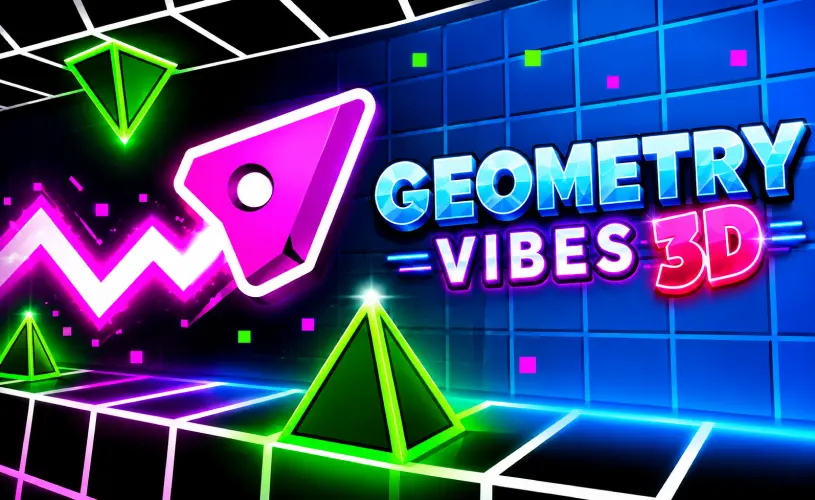
Geometry Vibes 3D





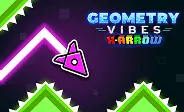
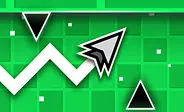
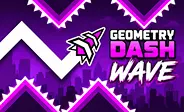
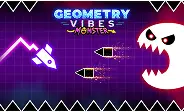

What Is Geometry Vibes 3D?
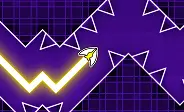
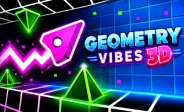
Here's the deal: Geometry Vibes 3D is a free, browser-based rhythm platformer that takes the fast obstacle-dodging formula and pushes it into a vibrant 3D landscape. Instead of running on a flat 2D plane, you steer your icon through winding neon circuits where every jump, twist, and hazard is synced to the beat. It is heavily inspired by the original Geometry Vibes, but the new 3D vantage point completely changes how you read the track, while keeping the one-touch mechanics that make rhythm games so addictive.
At the end of the day, the game does not just throw you at survival. There is real progression under the hood. You can collect up to 90 stars spread across three distinct difficulty tiers. Spend them in the Market on fresh skins and visual trails, or grab a friend and jump into the local 2-player mode on the same keyboard. Best part is you can boot it instantly in your browser with zero downloads or installs.
How to Play
Trust me, the controls are about as simple as it gets. The whole game runs on a single-button scheme:
- Desktop: Press W, Spacebar, or Left Click to jump.
- Mobile: Tap anywhere on the touchscreen.
- 2-Player Mode: Player 2 jumps with the Up Arrow key.
Victory in Geometry Vibes 3D boils down to pure timing. The pulsating soundtrack acts as an early warning system for incoming hazards, so every jump feels intrinsically tied to the rhythm. As you advance, you need lightning-fast reflexes to navigate the various mechanics and traps:
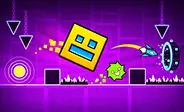
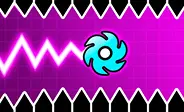
- Spikes: Touching even one instantly ends your run.
- Portals: These can change the game's velocity, flip your direction, or shift the camera perspective.
- Trampolines: Bounce pads that automatically vaults your character over large gaps and tall obstacles.
One tiny slip-up sends you back to the start of the stage, but the instant respawn keeps momentum alive. Bite-sized levels and instant retries mean you are always primed for one more go.
Collect Stars and Unlock Rewards
Most browser-based dash titles focus purely on survival: run, crash, repeat. Geometry Vibes 3D gives you a tangible goal to chase. Every stage in Classic Mode hides 3 stars, adding up to a total of 90 across all difficulty settings. The catch is that these stars are almost never tucked safely away. Grabbing one usually demands taking the riskier, hazard-filled route, where a single misstep ends the run.
This risk-reward loop is what keeps the gameplay addictive. Surviving a level feels good, but clearing it with all 3 stars in tow feels genuinely earned. On top of that, the stars double as functional currency in the Market, where you unlock stylish arrow skins and radiant 3D trails to make sure your runs look as good as they feel.
Game Modes: Rookie vs Pro vs Expert
Classic Mode in Geometry Vibes 3D is split into three distinct difficulty levels: Rookie, Pro, and Expert. Rookie is built for newcomers, with forgiving hazard layouts and generous timing windows. Pro kicks the tempo up, accelerating speed and shrinking your jump window. Expert unleashes the hardest stages in the game, demanding absolute perfection and frame-perfect, on-beat leaps.
Every difficulty tier houses 30 collectible stars, which gets you to the grand total of 90 stars across Classic Mode. Completionists aiming for 100% have to flawlessly clear all three tiers. The game also features a global leaderboard-ranked Endless Mode, where players chase ultimate high-score supremacy.
2-Player Mode: Same Keyboard, Same Beat
This title packs a local 2-Player Mode, which is a feature most browser-based dash games skip. Two players can go head-to-head on a single keyboard: Player 1 jumps with W, Spacebar, or Left Click, and Player 2 uses the Up Arrow. No second gamepad or convoluted online lobby needed, just two people, one screen, and a shared beat. It is a small addition that completely transforms the session dynamic. Rhythm-based challenges become twice as fun when you can hear your friend botch a jump sitting right next to you.
Tips to Score Higher
Looking to stretch out your runs and hoard more stars? These five habits will get you on the right track:
- Listen before you look. The beat telegraphs incoming hazards long before your eyes register them. Trust your ears.
- Learn levels on Rookie first. The core rhythm stays identical on Pro and Expert, only the margin for error shrinks.
- Skip risky stars on your first run. Prioritize surviving the stage first, memorize the layout, then come back for the deadly side paths.
- Play steady in Endless Mode. The global leaderboard rewards long, flawless runs over brief, lucky bursts of speed.
- On mobile, stick to one finger. Swapping fingers mid-run shatters your rhythm faster than any obstacle.
Frequently Asked Questions
Is Geometry Vibes 3D free to play?
Yes, completely free. You can play it right in your browser on GeoDash with no download, no signup, and no fees. The game is supported by ads, which is how it stays free for everyone who visits the site.
How is Geometry Vibes 3D different from the original Geometry Vibes?
The biggest difference is the perspective. The original Geometry Vibes is a 2D side-scroller, while Vibes 3D puts you on winding neon circuits in a 3D environment. The core one-touch mechanic is the same, but the 3D version adds portals that flip camera angles, trampolines, a 90-star collectible system, and a local 2-player mode on the same keyboard.
What are the controls for Geometry Vibes 3D?
On desktop, press W, Spacebar, or Left Click to jump. In 2-player mode, Player 1 uses W, Spacebar, or Left Click, and Player 2 uses the Up Arrow. On mobile, tap anywhere on the screen. The whole game runs on a single input per player.
How many stars are in Geometry Vibes 3D and what do they unlock?
There are 90 stars total, split across three difficulty tiers (Rookie, Pro, Expert), with 30 stars in each. Each stage hides 3 stars, usually on the riskier side routes. Spend stars in the Market to unlock new arrow skins and 3D trails for your runs.
Does Geometry Vibes 3D work on mobile?
Yes. The game runs in any modern mobile browser that supports HTML5. Tap the screen to jump. The 2-player mode is best played on desktop because it needs separate keys for each player, but solo play works great on touch devices.
Why Play on GeoDash?
GeoDash is a dedicated platform for browser-based Geometry Dash games, and every level we host runs on the same fast, no-frills player. There is no install, no account wall, and no splash ad between you and the play button. Pick a game from the grid above, hit Play, and you are in. We keep the page lightweight so the game loads first and the ads load second, which is how a free games site should work.
Geometry Dash is a rhythm-based platformer originally created by Robert Topala and RobTop Games. GeoDash is an independent fan platform that hosts browser-playable games inspired by the Geometry Dash style. We are not affiliated with or endorsed by RobTop Games.