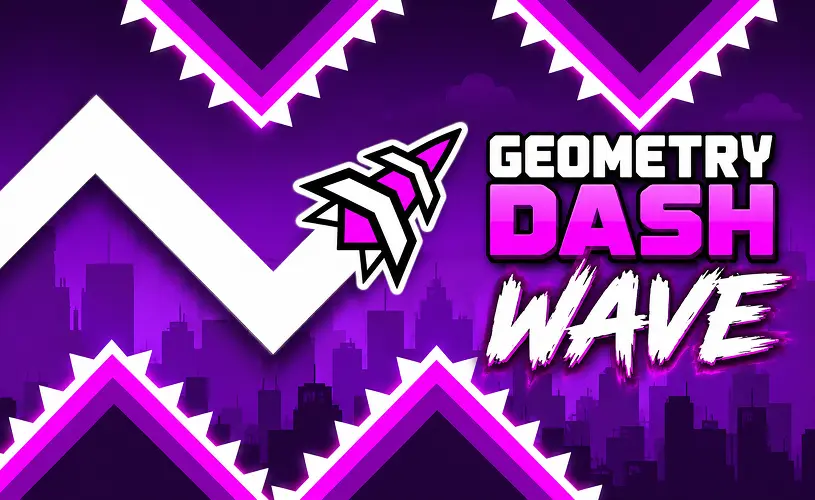
Geometry Dash Wave








About Geometry Dash Wave
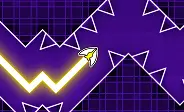
Here's the deal: Geometry Dash Wave is a standalone trainer that takes the wave mode from Geometry Dash and gives it a stage of its own. Hold the input and your icon ascends, release and it dives, carving out a tight zigzag flight path through whatever the level throws at you. The controls are about as simple as it gets, but surviving demands pinpoint timing to weave past spikes, saws, and absurdly narrow corridors. Most of the community agrees Wave is one of the steepest challenges in any geometry game, because a single microscopic mistake ends the run instantly.
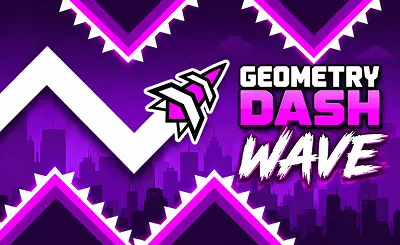
The version on GeoDash is a completely free browser port built specifically around the wave mechanic. You get neon-drenched levels, shifting hazards, moving monsters, an intense boss encounter, and a dedicated practice mode with manual checkpoints so you can drill the hard sections until they stop killing you.
How to Play
Trust me, Wave mode is one input and that is it. Hold the button to glide upward, let go to dive downward. Because your wave icon is constantly moving in a zigzag rather than a straight line, perfect timing is the only way past the spikes, saws, and claustrophobic gaps.
- Desktop: Hold the left mouse button, Spacebar, or Up Arrow to ascend, release to dive.
- Mobile: Tap and hold anywhere on the screen to rise, lift your finger to drop.
- Practice mode: Drop manual checkpoints mid-run to drill the exact segment that keeps ending your run.
The floor and ceiling are safe boundaries, but everything else kills you. Spikes, saws, moving monsters, and solid walls all mean instant death on contact. Some corridors are so narrow that only micro-movements and exact timing will get you through, which is exactly why this mode has the reputation it does.
Why the Wave Is Geometry Dash's Hardest Mode
Wave mode stands out as significantly more punishing than most other Geometry Dash modes for one simple reason: the wave is always in motion. You hold to climb and release to dive, so every micro-movement demands perfect timing. There is zero downtime, no flat ground to pause on, no chance to recalibrate.
On top of that, many stages feature incredibly narrow corridors that test the limits of your control precision. Even the smallest slip sends your wave into a spike, a saw, or a solid wall. Speed portals make things worse by drastically altering your forward velocity mid-section, forcing your brain to re-time everything on the fly.
At the end of the day, the blistering pace and pixel-perfect control demands are why Wave is widely celebrated as one of the most brutal mechanics in the Geometry Dash franchise. This browser version strips away everything else and focuses purely on wave gameplay so you can grind and master the mechanic through specialized stages.
GD Wave Levels and Features
GeoDash Wave ships with six distinct, difficulty-ranked stages, so you always know the level of brutality you are walking into. The opening stages teach the core rhythm, while the later levels demand absolute mastery. Here are the standout features:
- The Shop: Spend the diamonds and coins you collect in-game to unlock fresh arrow skins, vibrant trail effects, and unique color palettes. You are not stuck with a default white arrow for long.
- Practice mode: Place custom checkpoints mid-level to rehearse the specific section that keeps sending you back to the start.
- Rhythm-synced music: Hazards are mapped to the beat, so the soundtrack is not just audio flair, it is a functional warning system that tells you when to move before your eyes can process the danger.
Rounding out the package are striking neon visuals, shifting hazards, and instant respawns. Crash, instantly respawn, dive back in. Zero loading screens interrupting your flow.
Tips to Survive Longer
- Tap in short pulses. Holding the button creates long, uncorrectable climbs. Micro-taps keep your arrow's zigzag tight and controllable.
- Use practice mode first. Drop a checkpoint right before the hazard that keeps ending your run, then grind that segment until it becomes muscle memory.
- Listen to the music. Obstacles are mapped to the beat, so the soundtrack signals when to move long before your eyes can process the danger.
- Do not risk your run for coins. Some coins are tucked into brutal positions, wedged beside spikes or buried in narrow corridors. Beat the level first, then attempt the coin run later.
- Treat crashes as progress. Every restart etches a pattern into your brain. With six grueling levels to conquer, the run that just killed you is ultimately training you for the successful run that won't.
Frequently Asked Questions
Is Geometry Dash Wave an official RobTop game?
The wave mechanic itself is official, it exists as a core mode inside the main Geometry Dash developed by RobTop Games. However, the standalone browser version hosted on this page is a community-made project with no affiliation to RobTop. It faithfully recreates the wave physics so you can experience it for free in your browser. If you are after the authentic official journey, you can play Geometry Dash Lite right here on our platform.
Is Geometry Dash Wave free to play?
Yes, completely free. You can play it right in your browser on GeoDash with no download, no signup, and no fees. The game is supported by ads, which is how it stays free for everyone who visits the site.
How do I control the wave in Geometry Dash Wave?
On desktop, hold the left mouse button, Spacebar, or Up Arrow to ascend and release to dive. On mobile, tap and hold anywhere on the screen to rise, and lift your finger to drop. The wave constantly moves in a zigzag, so every input reverses your vertical direction.
Why is Wave mode considered the hardest in Geometry Dash?
Wave mode is constantly in motion. You hold to climb and release to dive, so every micro-movement demands perfect timing. There is no flat ground to pause on, and many corridors are extremely narrow, which means even a single pixel-level mistake ends the run. Speed portals make it harder by changing your forward velocity mid-section.
What other wave games can I play on GeoDash?
Several. Hyper Wave Trial adds gravity-flip portals and mirrored stages while you fly. Space Waves cranks up the velocity across neon tracks. Geometry Dash Wave Pro throws you into even tighter corridors. Geometry Dash Spam turns wave control into a pure stamina test. All of them are free to play in your browser.
Why Play on GeoDash?
GeoDash is a dedicated platform for browser-based Geometry Dash games, and every level we host runs on the same fast, no-frills player. There is no install, no account wall, and no splash ad between you and the play button. Pick a game from the grid above, hit Play, and you are in. We keep the page lightweight so the game loads first and the ads load second, which is how a free games site should work.
Geometry Dash is a rhythm-based platformer originally created by Robert Topala and RobTop Games. GeoDash is an independent fan platform that hosts browser-playable games inspired by the Geometry Dash style. We are not affiliated with or endorsed by RobTop Games.