Geometry Dash Scratch





What Is Geometry Dash Scratch?
Here's the deal: Geometry Dash Scratch is a free, browser-playable take on Geometry Dash built by Griffpatch, who is arguably the most well-known creator on MIT's Scratch platform. Scratch lets anyone build games by snapping visual coding blocks together instead of typing raw code, which is exactly why a fan remake like this can exist in the first place. It lowers the bar for creators without dumbing down the gameplay.
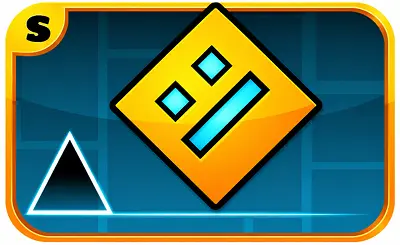
This version ships with three community-made recreations of official levels: Stereo Madness, Back on Track, and Polargeist. Your cube auto-runs to the right and every jump is locked to the beat of the soundtrack. You can jump straight into the game in any modern browser, no downloads, no installs. If you want a more complete official-style experience in the same niche, Geometry Dash Lite sits right next to it on GeoDash.
How to Play
Trust me, the controls are about as simple as it gets. Your cube auto-runs forward, so the only thing you control is when you jump. The catch is that every obstacle is timed to the music, so listening to the beat is just as important as watching the screen.
- Desktop: Tap the Spacebar or Left Mouse Button to jump.
- Hold the button: Keep it pressed and your cube auto-jumps the moment it lands. This is the move you need for clearing fast spike chains.
- Pick a level: Choose Stereo Madness, Back on Track, or Polargeist from the main menu.
Hit one spike or wall and the level restarts from the very beginning. There are no checkpoints in standard play, so every run is one continuous attempt from start to finish. The good news is, the more you replay a level, the more your brain locks into the rhythm and starts calling out the jumps before they happen.
Cube and Ship Modes
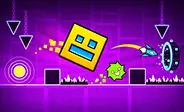
GD Scratch uses two play styles, and they feel completely different from each other. Cube Mode is the default. Your icon runs along the floor and jumps every time you press. Click once for a single jump, or hold the button to bounce again the second you touch the ground.
Ship Mode kicks in the moment you fly through a portal mid-level. Instead of jumping, you hold the button to ascend and let go to descend. Your ship keeps moving forward on its own, so the trick is smooth, gentle inputs to thread through tight gaps without pancaking into the ceiling or floor.
The mode swap happens automatically when you hit a portal. A single level can flip you between Cube and Ship multiple times in one run, which keeps you on your toes. Most new players find Ship Mode harder at first because the physics are a different beast, but it clicks after a few attempts.
Levels in Geometry Dash Scratch
This edition faithfully recreates the first three official Geometry Dash levels. Each one ramps up the difficulty, so by the time you finish all three you have a real handle on the mechanics.
- Stereo Madness: The training ground. Wide gaps, forgiving jump timing, and your first taste of Ship Mode. If you are new, start here.
- Back on Track: The tempo picks up and hazards spawn closer together. You need sharper jumps and tighter timing to keep up.
- Polargeist: The real difficulty spike of the three. Long obstacle chains, tight spaces, and demanding Ship Mode sections that genuinely test what you have learned.
Each level takes under two minutes to finish, but do not expect to clear them on your first try. Replaying levels is baked into the experience, and every failed run quietly sharpens your timing until the hard parts stop feeling impossible.
Geometry Dash Scratch vs. the Original Geometry Dash
Let's be honest about what this is. Geometry Dash Scratch is a fan project built on MIT's Scratch platform, not an official franchise release. By recreating the first three GD levels with block-based coding, the controls and timing feel very close, but they are not a 1:1 match. Veteran players will notice small differences in jump arcs and movement physics.
Here's a quick breakdown of how the two versions stack up:
- Levels: This port has Stereo Madness, Back on Track, and Polargeist. The official game has a huge roster of levels plus millions of user-generated stages.
- Level editor: The official game ships with a full editor. This version is about playing, not designing.
- Cost: This browser port is completely free. The mainline game is a paid app.
- Platforms: Play this in any desktop or mobile browser. The official game runs on phones, tablets, and PCs as a native app.
If you are after more free official-style content, Geometry Arrow and Geometry Dash World are solid next stops on GeoDash.
How Geometry Dash Scratch Was Made
Geometry Dash Scratch first landed on MIT's Scratch platform in 2020, built by Griffpatch, who is arguably the most prominent creator in the Scratch community. He also put out a step-by-step tutorial series that sparked thousands of remixes and fan projects. The whole thing stands as one of Scratch's most influential Geometry Dash recreations, and it ended up introducing a huge wave of young creators to game development in the process.
Tips and Strategy
A few simple habits will noticeably tighten your timing and help you clear stages without grinding the same wall for an hour.
- Follow the beat. Hazards are synced to the track, so listen to the music. After a few runs, you will start anticipating jumps before you even see them.
- Hold through spike chains. Keep the button held during consecutive spikes. Your cube auto-jumps the moment it lands, which makes blistering fast sections far more consistent.
- Look ahead. Train your eyes on the path in front of your cube, not on the cube itself. Scouting ahead gives you those extra milliseconds to react.
- Stay smooth in Ship Mode. Use short, gentle taps to thread through tight corridors. Long, heavy holds will slam you into the ceiling or floor every time.
- Keep practicing. Do not get salty if Polargeist takes dozens of runs. Every restart is one more rep for your muscle memory, and that is how you eventually clear it.
Frequently Asked Questions
Is Geometry Dash Scratch free to play?
Yes, completely free. You can play it right in your browser on GeoDash with no download, no signup, and no fees. The game is supported by ads, which is how it stays free for everyone who visits the site.
Who made Geometry Dash Scratch?
Geometry Dash Scratch was built by Griffpatch, one of the most well-known creators on MIT's Scratch platform. He released the project in 2020 along with a tutorial series that helped thousands of young creators learn game development by remixing his work.
Which levels are included in Geometry Dash Scratch?
This version includes community recreations of three official Geometry Dash levels: Stereo Madness, Back on Track, and Polargeist. Each one is short but ramped in difficulty, with Polargeist being the hardest of the three.
Does Geometry Dash Scratch work on mobile?
Yes. The game runs in any modern mobile browser that supports HTML5. Tap the screen to jump and hold to keep jumping. For the best experience, play on a phone with a responsive touchscreen and a stable internet connection.
How is Geometry Dash Scratch different from the original Geometry Dash?
Geometry Dash Scratch is a fan-made recreation built on Scratch, not an official release. It includes three levels, no level editor, and runs free in any browser. The original Geometry Dash is a paid app by RobTop Games with hundreds of official levels, a full level editor, and millions of user-generated stages.
Why Play on GeoDash?
GeoDash is a dedicated platform for browser-based Geometry Dash games, and every level we host runs on the same fast, no-frills player. There is no install, no account wall, and no splash ad between you and the play button. Pick a game from the grid above, hit Play, and you are in. We keep the page lightweight so the game loads first and the ads load second, which is how a free games site should work.
Geometry Dash is a rhythm-based platformer originally created by Robert Topala and RobTop Games. GeoDash is an independent fan platform that hosts browser-playable games inspired by the Geometry Dash style. We are not affiliated with or endorsed by RobTop Games.