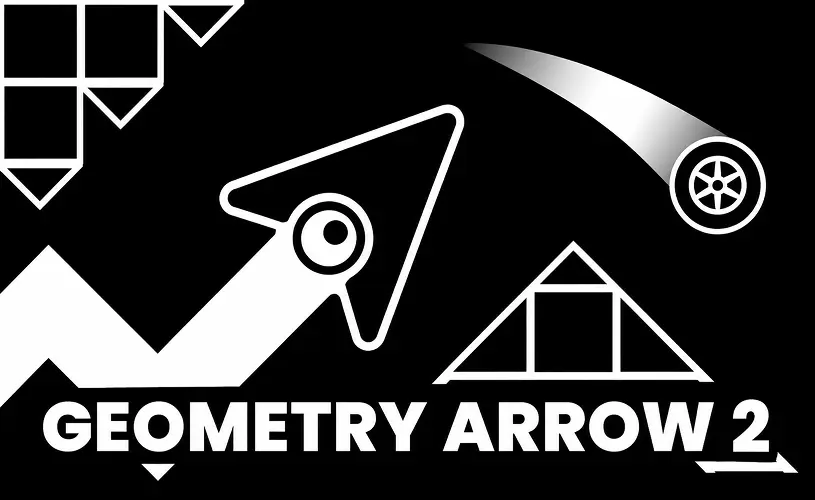

Geometry Arrow 2





















What Is Geometry Arrow 2?
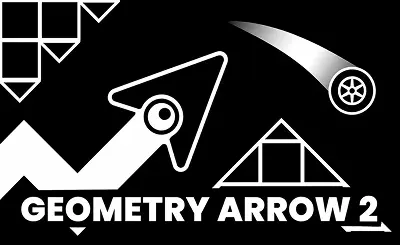
Geometry Arrow 2 is an engaging, free-to-play HTML5 browser game that builds upon the foundation of the original Geometry Arrow. It introduces two distinct playable forms: the Arrow and the Wheel. As you progress, you must seamlessly switch between flying through the air and rolling on the ground via portal transformations, all while dodging spikes, solid walls, and moving hazards.
The title perfectly blends rhythm-based mechanics, precision-based controls, and music-synced stages to deliver a faster, more intense challenge than its predecessor. It boots up instantly in modern web browsers with zero downloads required. You can enjoy it completely free on Geometry Dash across both desktop and mobile platforms.
How to Play
The gameplay in Geometry Arrow 2 relies on simple one-button controls. The game auto-scrolls forward, and your single input dictates your actions depending on the current mode. Your primary objective is to dodge all obstacles, survive the instant portal transitions, and safely reach the finish line of each stage.
- Arrow Mode: Click and hold to ascend, and release to dive down. This is essential for navigating tight cave passages and narrow gaps.
- Wheel Mode: Tap the screen or click to jump over ground-based hazards like spikes and blocks.
- Portal Transitions: Portals instantly swap your form between Arrow and Wheel, requiring you to instantly adapt your clicking rhythm to the new physics.
Hitting any spike or wall results in an instant restart, making absolute precision and rhythmic timing absolutely crucial. Controls are designed to be highly responsive:
- On PC: Use the left mouse button or the spacebar.
- On Mobile: Simply tap anywhere on the screen to initiate flight or jumps.
Arrow Mode and Wheel Mode Explained
The core challenge of Geometry Arrow 2 lies in combining Arrow Mode and Wheel Mode within the same continuous level. Players are forced to switch rapidly between aerial flight and ground rolling via portal transitions. Because each mode operates on entirely different physics, rapid adaptation is key to surviving the later, more demanding stages.
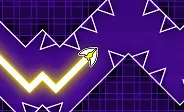
Arrow Mode is heavily focused on wave-style gameplay. You must hold the input to ascend and release to dive, threading the needle through incredibly narrow cave passages. Success here demands flawless timing and smooth, fluid zigzag movements; even the slightest graze against a spike means an instant restart.
Wheel Mode brings the action back to the ground. Your wheel rolls forward automatically, and your goal is to tap to leap over spikes, solid blocks, and other terrestrial hazards. Keep an eye out for blue jump bubbles—triggering these will launch your wheel significantly higher than a standard jump, allowing you to clear massive gaps.
The ultimate test is mastering the transitions. Because portal switches happen instantly, your brain and fingers must instantly adjust to the new movement style the millisecond you pass through.
Levels and Difficulty
This sequel boasts 13 uniquely designed levels, each featuring a fixed layout, an exclusive musical track, and rhythm-synced hazards. Every stage intricately weaves Arrow Mode and Wheel Mode together, utilizing portal transitions to constantly flip the script on the player.
The game employs a progressive difficulty curve. The early stages act as a tutorial, introducing basic movement mechanics and portal timing. However, as you advance, the game ramps up the speed, tightens the gaps, and drastically reduces your reaction time after switching modes. Because the maps are statically designed, your progression relies entirely on pattern recognition, muscle memory, and precise timing rather than luck.
Achievements and Customization
Instead of traditional collectible coins, Geometry Arrow 2 implements a robust achievement system. By conquering specific gameplay challenges, players unlock a variety of cosmetic rewards for both the Arrow and the Wheel, providing a great incentive to replay older levels and grind for fresh upgrades. Through your journey, you can unlock:
- Custom Arrow and Wheel skins to completely change the aesthetic of both characters.
- Unique particle effects that generate stylish movement trails and burst animations upon clicking.
- Alternate block textures that redesign the visual style of the walls and obstacles.
- Extensive color customization options to create a truly personalized look.
It is important to note that these unlocks are strictly cosmetic. They do not alter your movement speed, jump height, or the overall difficulty. They simply serve as visual trophies for your progress, ensuring the gameplay remains perfectly balanced and entirely skill-based.
Geometry Arrow 2 vs. Geometry Arrow
The sequel takes the foundation of the original game and elevates it by introducing a second playable form, instant portal transitions, and a comprehensive achievement-based customization system. While both titles utilize the same wave-style precision controls, Geometry Arrow 2 offers significantly more gameplay variety by constantly flipping between Arrow Mode and Wheel Mode within a single stage.
The original game is solely focused on the flying mechanic, challenging players to zigzag through tight cave passages. The sequel retains that core flying mechanic but spices things up with ground-rolling sections, complex rhythm-synced obstacle patterns, and unlockable cosmetic rewards. Players who are just starting out and want to master wave control should begin with the original title. However, veterans looking for rapid-fire transitions and diverse, mixed gameplay will find the sequel to be a much sterner test. Both are excellent free HTML5 browser games that require zero downloads or installations.
Tips and Strategy
Becoming a pro at Geometry Arrow 2 requires more than just lightning-fast reflexes. These five strategic tips will help you refine your timing and conquer the harder stages with greater consistency.
- Anticipate Portal Transitions - Always look ahead to see the next portal before you reach it. Mentally preparing for the sudden switch between Arrow and Wheel modes is half the battle.
- Sync with the Beat - The placement of obstacles is heavily tied to the music. Letting the rhythm guide your clicks can dramatically improve the consistency of your jumps and dives.
- Master the Blue Bubbles - Remember that blue jump bubbles send the Wheel soaring higher than a standard tap. Only trigger them when the upcoming terrain demands that extra elevation.
- Grind Earlier Levels - Replaying easier stages is a great way to warm up your fingers, perfect your portal timing, and naturally farm achievement rewards.
- Take Regular Breaks - Precision gaming tires out your hands quickly. Playing in short, focused bursts prevents burnout and keeps your clicks as accurate as possible.
FAQs
Is Geometry Arrow 2 an official Geometry Dash game?
No, Geometry Arrow 2 is a standalone, independent rhythm arcade title inspired by the genre, not an official Geometry Dash release. However, it heavily borrows and refines the wave mechanics that made GD so iconic. If you are looking for the authentic experience, you can play the official Geometry Dash Lite right here for free.