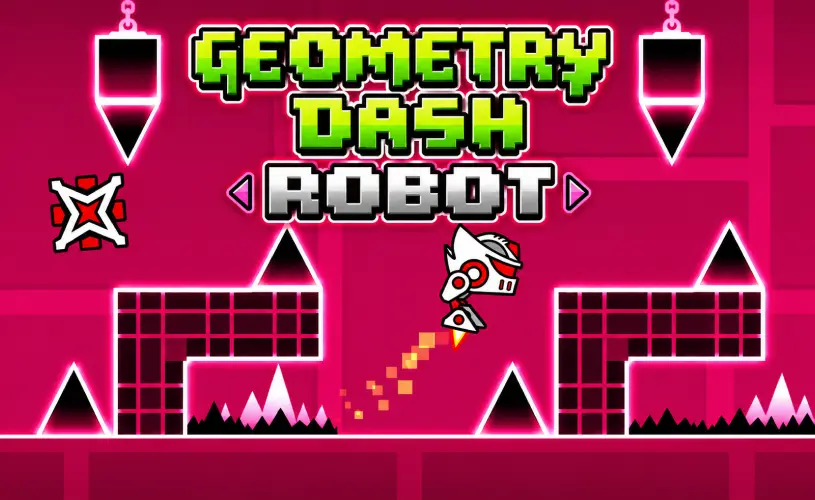
Geometry Dash Robot








About Geometry Dash Robot
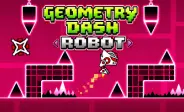
Here's the deal: Geometry Dash Robot takes one of the most-loved vehicle modes from the wider Geometry Dash family and gives it a stage of its own. The Cube mode that started the whole series gives you fixed-height jumps, but Robot mode flips that idea on its head. Hold the input longer, you jump higher. Tap quick, you do a tiny hop. That single tweak completely changes how every level plays out, turning what looks like a simple neon arcade game into a precision challenge that punishes sloppy fingers.
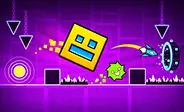
The whole thing leans into a clean, neon-on-black aesthetic and rhythm-driven level design. You slide through tight corridors packed with spikes, time your landings on jump pads, and brace for gravity portals that flip your world upside down in a heartbeat. Because the physics reward exact tap duration, every section feels like its own little puzzle. Some runs you breeze through, others you retry thirty times until your thumb finally learns the rhythm.
How to Play
Trust me, the controls are about as simple as it gets. Your character auto-runs to the right, and the only thing you control is how high it jumps. The trick is figuring out exactly how long to hold the input for each obstacle.
- Short Hop: A quick tap or click gives you a small, low jump. Use this for clearing tight clusters of spikes where a big jump would send you into the ceiling.
- Sustained Jump: Hold the button and your Robot leaps much higher. This is what gets you over tall walls and onto far platforms that a hop cannot reach.
- Gravity Portals: These flip you upside down on contact. Your controls stay the same, but suddenly up is down and your brain has to catch up before the next spike arrives.
One touch on any hazard and you restart the level from scratch. There is no health bar and no second chance. Pattern recognition and keeping time with the soundtrack are how you survive, so put on headphones if your phone speaker is tinny.
Tips for Mastering the Robot Mode
Getting good at Robot mode takes more than fast fingers. After watching plenty of players grind through the harder levels, here are the strategies that actually move the needle:
- Feather your taps: The most common mistake new players make is mashing the button. Practice quick taps for hops and clean holds for big jumps. Sloppy inputs are why you die on the easy parts.
- Respect the jump pads: Yellow and pink pads launch you at fixed heights regardless of your input. Let go of the button right before you hit one or you will overshoot and clip the next obstacle.
- Use practice mode: Stuck on a single sequence? Drop checkpoints in practice mode and grind that one section until it becomes muscle memory. Then attempt a clean run.
- Stay loose during gravity flips: When gravity inverts, your eyes will lie to you for a second. The timing stays the same, only the visual direction changes. Take a breath, trust your rhythm, and keep tapping.
Frequently Asked Questions
Is Geometry Dash Robot free to play?
Yes, completely free. You can play it right in your browser on GeoDash with no download, no signup, and no hidden fees. The game is supported by ads, which is how it stays free for everyone who visits the site.
How is Robot mode different from the regular Cube in Geometry Dash?
In standard Cube mode every jump is the same fixed height. Robot mode lets you control jump height by how long you hold the input. A quick tap gives you a short hop, while holding launches you much higher. This adds a layer of timing strategy that Cube does not have, and it is why Robot levels tend to feel more like puzzles than reflex tests.
Does Geometry Dash Robot work on mobile?
Yes. The game runs in any modern mobile browser that supports HTML5. Just tap and hold the screen to jump. For the best experience, play on a phone with a responsive touchscreen and a stable internet connection, and switch to landscape orientation if the level looks cramped in portrait.
How do I get past the gravity portals in Robot mode?
Gravity portals flip your character upside down, but the tap-and-hold timing stays the same. The trick is to stop trusting your eyes for a second and trust your rhythm instead. Practice the section in practice mode with checkpoints until your brain adapts to the flipped direction, then attempt the full level for a clean run.
Can I save my progress in Geometry Dash Robot?
At the end of the day, levels restart from the beginning every time you hit a hazard, which is part of the genre. There is no save state mid-level. Use practice mode to drop checkpoints and learn the hard sections, then attempt the full run for a clean completion. Once you beat a level, you can move on to a harder one or replay it for a better time.
Why Play on GeoDash?
GeoDash is a dedicated platform for browser-based Geometry Dash games, and every level we host runs on the same fast, no-frills player. There is no install, no account wall, and no splash ad blocking the play button. Pick a game from the grid above, hit Play, and you are in. We keep the page lightweight so the game loads first and the ads load second, which is how a free games site should work.
Geometry Dash is a rhythm-based platformer originally created by Robert Topala and RobTop Games. GeoDash is an independent fan platform that hosts browser-playable games inspired by the Geometry Dash style. We are not affiliated with or endorsed by RobTop Games.